GPS Location Tracker Plus
- 3.9
- Rating
- 1.00M
- Installs
- Free
- Price

 Analysis by App-foxy
I approach a family location tracker with one question in mind: does it help people coordinate without turning every trip into a demand for constant attention? GPS Location Tracker Plus is built around shared whereabouts and safe-area alerts, so its appeal is practical rather than social. In my view, its value depends less on flashy mapping and more on whether everyone involved can use location sharing comfortably, understand what an alert means, and agree on when tracking is appropriate.
Clear enough for a quick location check
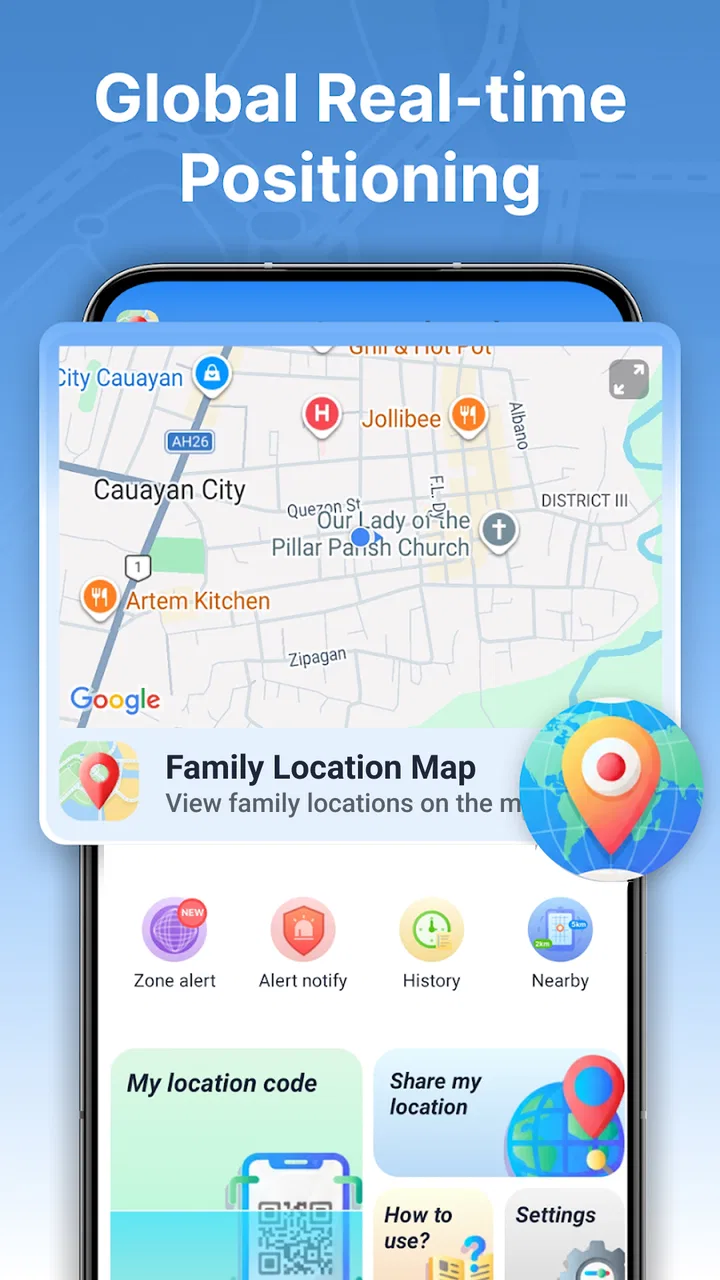
The app sits in the maps and navigation space, with a focused job: let family members share their real-time location and use safe areas as a trigger for alerts. That narrow purpose is helpful when the immediate question is “Has everyone arrived?” rather than “Which route should I take?” I find that distinction important: this is a coordination tool, not a replacement for a full navigation app.
Its store description is short, and the product’s central idea is easy to grasp. That can make it approachable for relatives who do not want to learn a complicated family dashboard. Still, simplicity is only useful if the map, labels, and alert wording are comfortable to read. Anyone who relies on larger text, strong contrast, or uncluttered screens should check the app on their own device before depending on it for time-sensitive coordination.
You May Also Like

 Blood Strike: 2.5 Anniversary
Blood Strike’s Loadouts Turn Every Drop Into a Tactical Gamble
A close look at Blood Strike’s custom loadouts: how fast access to signature weapons reshapes its battle royale rhythm, rewards preparation, and narrows the gap between fights.

 Pandora - Music & Podcasts
Pandora’s Music Is Easy to Start, but Harder to Recover
Pandora’s strength is its low-effort path from a seed to a station. Its weak spot is how much confidence it asks you to place in connection, setup, and quiet recovery.

 8 Ball Pool
 Is Built on Rivalries, Rematches, and Routine
A close look at the rivalries, rematches, shared routines, and unanswered safety questions that turn a quick pool match into a persistent mobile community.

 Samsung Music
’s Quiet Strength Is Playing What You Already Own
Its reach comes less from spectacle than from dependable access to a personal library. That simplicity is both the app’s strongest retention engine and its ceiling.

 AccuWeather: Weather Radar
AccuWeather Review: A Quick, Clear Forecast for Everyday Decisions
For everyday plans, the best forecast is the one you can understand quickly. AccuWeather makes rain timing, radar, and local conditions easy to act on, with a few trade-offs.

 Hill Climb Racing
Why Hill Climb Racing Still Turns Crashes Into One More Run
A tiny car, a bumpy hill and one more upgrade: Hill Climb Racing keeps resurfacing because its simple chaos makes every near-miss feel personal.
More From Our News Desk



There is also a difference between seeing a location and understanding it. A dot on a map may not tell a less confident user whether someone is moving, has stopped, or is simply represented by an older position. I would encourage families to agree on a plain-language check-in routine alongside the map: for example, send a short message when leaving and on arrival. That reduces the chance of treating a location display as a complete account of someone’s situation.
The developer is Anuoluwapo Product Limited. The app is free and rated for Everyone, which lowers the barrier to trying it, though a broad age rating should not be mistaken for a guarantee that every child or adult will find location sharing suitable. Families should explain what is being shared and make the arrangement mutual and understandable, especially when a young person is involved.
Making map use easier for different people
For someone with limited vision, a live map can be harder to interpret than a written update, particularly outdoors or while moving. I would avoid asking a person to inspect the screen while walking, cycling, or crossing a road. A safer workflow is for one person to check the map from a settled place and relay only the practical information the other person needs, such as whether the group has arrived.
People with cognitive or memory-related needs may benefit from the consistency of a familiar safe area, but the family should keep the meaning of each alert simple. A notification should prompt a calm check rather than an immediate assumption that something has gone wrong. If a relative finds map symbols confusing, practice together at home first: identify the family members, locate a familiar place, and decide what action to take when an alert appears.
For users who find screens or notifications tiring, the most useful setup may be the least demanding one. I would begin with only the people and places needed for a real routine instead of turning location sharing into something everyone checks repeatedly. That helps keep the tool focused and may reduce notification fatigue. The app’s description emphasizes location and safe-area alerts, but it does not establish that every alert can be customized in a particular way, so I would not build a workflow around settings I have not confirmed.
When location sharing helps in daily life
Picture a family member travelling home after an evening activity. Rather than sending several “Where are you?” messages, another person can check the shared location and use an agreed safe area around home as a simple arrival cue. This is a concrete use for the app: it can reduce routine back-and-forth when everyone wants reassurance but nobody needs a turn-by-turn route.
A second useful case is coordinating a pickup at a busy venue. A shared position can help the waiting person see whether the other person is nearby, while a safe-area alert can support a familiar boundary such as home or a regular destination. I would still choose a clear meeting point and send a message if the entrance is crowded. A map pin can show proximity without resolving which door, parking level, or side of a building someone is using.
For a caregiver checking on an older relative, the same feature can be reassuring if the relative actively agrees and understands the arrangement. It is less appropriate as a substitute for a conversation or a welfare check. A phone may be left behind, lose connectivity, or show a position that does not answer the question the caregiver actually has. I would treat the location as one clue, not proof that someone is safe.
These workflows work best when the family makes a few decisions in advance: who shares with whom, which locations matter, what an alert should prompt, and when to use a call instead. That small conversation can prevent a useful safety aid from becoming a source of suspicion or unnecessary interruptions. Location sharing works best as an agreed routine, not silent monitoring.
How it fits beside familiar alternatives
Compared with a general navigation app, GPS Location Tracker Plus is more focused on family visibility and safe-area alerts than on planning a journey. If your main need is directions, traffic guidance, or comparing routes, a dedicated navigation service is the better fit. If you mainly need to tell relatives that you have arrived, a message or call may be simpler and more respectful of everyone’s privacy.
Built-in phone location sharing is another natural alternative. It may suit households that already use the same device ecosystem and only need occasional sharing. A dedicated tracker can be worth trying when the family wants a separate, location-focused tool, but I would compare the everyday steps before moving everyone over: how easy it is to find a person, understand an alert, and stop sharing when a trip is over. The best choice is the one the least confident family member can operate reliably.
The app has an average rating of 3.9 from around 3,200 ratings, with 53 written reviews. It has more than one million installs, suggesting that family location tracking is a familiar use case, but popularity alone does not tell me whether its interface will suit a particular household. I would treat the rating as a reason to inspect recent feedback and test it with a small, trusted group rather than assume it will fit every need.
Practical limits and situations to reconsider
The main trade-off is that shared location can create more confidence than the underlying information deserves. A map may not answer why someone is delayed, whether they need help, or whether a displayed point is current enough for a decision. For urgent situations, contact the person directly or use appropriate emergency services; do not rely on a family tracker as an emergency-response system.
Privacy is another real consideration. Continuous visibility may feel reassuring to one person and intrusive to another. Before inviting family members, I would agree on the purpose and duration of sharing, explain how safe-area alerts will be used, and make sure everyone knows how to raise concerns. If a household cannot reach a genuine agreement, a simple arrival text is a better option than imposing tracking.
Location apps also depend on the phone and its operating environment. Battery conservation, poor reception, or a device left at home can make a position less useful. I would not promise a child or older relative that the app will always show their exact location. For a routine where precision is critical, test it in the actual places and circumstances involved, and keep a backup plan such as a scheduled call or a known meeting point.
GPS Location Tracker Plus is currently at version 1.3.0.0 and requires Android 9 or later. It was released on April 13, 2026. Those details matter when deciding whether an older phone can run it, but compatibility does not settle usability: a supported device can still be difficult for someone who needs larger controls, clearer text, or fewer steps. I would check the app directly with the person who will use it rather than set it up on their behalf and assume it is accessible.
A considerate fit, with realistic expectations
I would recommend giving this app a try to families who want a straightforward way to share whereabouts and use familiar places as reference points, especially when routine arrivals create repeated messages. Its focused purpose may be easier to explain than a broad navigation product, and the free price makes a cautious trial accessible. The strongest use is modest: help relatives coordinate, then follow up with a conversation when the situation calls for more than a map.
I would skip it if the goal is turn-by-turn navigation, guaranteed emergency coverage, or tracking someone who has not freely agreed. I would also look elsewhere if a family member cannot comfortably interpret the map or manage the interaction on their device. A phone call, a planned check-in, or a built-in sharing option may be more accessible and less intrusive for that household.
My inclusive verdict is that GPS Location Tracker Plus has a clear role, but its usefulness depends on the people around the screen as much as the screen itself. Start with one ordinary routine, explain the sharing arrangement, and let each person test whether the map and alerts make sense to them. If they do, the app can ease small coordination worries; if they do not, choosing a simpler communication method is the more thoughtful decision.
FAQs for GPS Location Tracker Plus
01What is GPS Location Tracker Plus used for?
GPS Location Tracker Plus is intended to help users view and manage location information using a compatible phone. Depending on the version and its available features, it may provide a map view, location tracking, or tools for checking a device’s position. Confirm the app’s current feature list and description in the official app store before downloading, since similarly named apps can differ in how they work.
02Does GPS Location Tracker Plus track a person’s location without their knowledge?
A location-tracking app should not be used to secretly monitor another person. Access to someone else’s location generally requires their consent, appropriate permissions, and, in some cases, setup on their device. Before using GPS Location Tracker Plus, review its permissions and privacy information, and make sure everyone whose location may be shared understands and agrees to the arrangement.
03What permissions does GPS Location Tracker Plus need, and why?
Location access is typically necessary for an app that reports a phone’s position, and continuous tracking may require permission to access location in the background. Depending on the app’s design, it may request other permissions as well. Review each request when installing, choose the least extensive option that still supports your intended use, and check the app’s privacy policy to understand how collected information is handled.
04Can GPS Location Tracker Plus work without an internet connection?
GPS positioning can sometimes estimate a device’s location without mobile data, but features that send a location to another person, update an online map, or synchronize information usually need an internet connection. Accuracy and update speed may also vary with signal conditions, phone settings, battery restrictions, and surroundings. Check the app’s store listing and test its behavior before relying on it for an important purpose.
05Is GPS Location Tracker Plus free, and is it available for Android and iOS?
Availability, pricing, in-app purchases, and supported devices can change, so check the current listing in Google Play or Apple’s App Store before installing. Confirm that the developer name and app details match the GPS Location Tracker Plus you intend to download. Avoid unofficial download sites, and review recent user feedback, device compatibility, and any subscription terms before agreeing to pay.
Pros
- Tracks location in real time for easier check-ins.
- Location history can help retrace past journeys.
- Geofencing alerts can notify you when someone enters or leaves an area.
- A clear map view makes shared locations easy to follow.
- Useful for coordinating meetups with family or friends.
Cons
- Accurate tracking may require a steady internet connection.
- Frequent GPS use can drain the phone battery.
- Location sharing raises privacy concerns if access is not managed.
- Background tracking may be limited by phone settings.
- Some features may require a paid plan or subscription.

GPS Location Tracker Plus
Gallery